
.jpg)


.jpg)


.jpg)
.jpg)
.jpg)


.jpg)


.jpg)


.jpg)

.jpg)


.jpg)


(1).jpg)


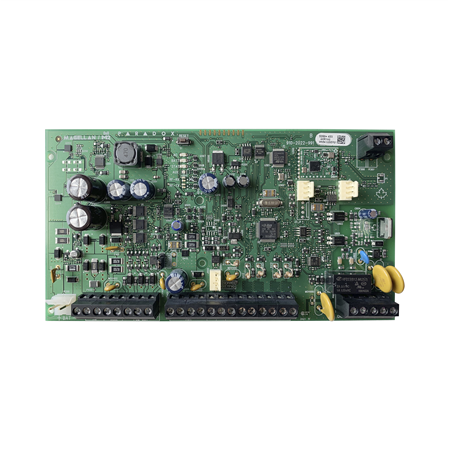
- Magellan 8-zone control panel backplane
- 2 master/slave outputs (double connector)
- Incorporates via radio 868 MHz
- Compatible hardware FSK
- Expandable 32 zones, 2 partitions, 32 users, 32 remotes
- Bus 4 wires (up to 15 modules)
- VDMP3 not compatible
- Up to 16 PGMs
- BlueEye control
- 307USB firmware upgrade and remote or local BabyWare
- Grade 2
 ALARM.COM Systems
 VESTA Alarm
 VESTA Medical Alarm
 DAHUA systems
 U-PROX Systems
 Pyronix / HIKVISION systems
 HONEYWELL systems
 PARADOX systems
 VISONIC systems
 DSC systems
 DIY Home system alarm GRADE 1
 Alarm Transmission & Reception
 Volumetric Detectors
 Shock and Impact Detectors
 Magnetic Contacts
 Special Detectors
.jpg) Perimeter Detection
Perimeter Detection Sirens
 Anti-theft protection by fog
 Proactive safety smoke
 Cables
.jpg) Accessories
Accessories


PAR-7NMG5050+_868MHZMagellan 8-zone control panel backplane
Magellan 8-zone control panel backplane
PAR-7N
MG5050+_868MHZ
View previous model
Replacement circuit for Hybrid Magellan™ 2 zone control panel PAR-30

Main features
Specifications
Documentation
| Language | Name | Type | Action | |
|---|---|---|---|---|
EN | | Certificate | ||
| | Image | |||
EN | | Self-generated File |