Hyundai

CCTV
All categories

NEWS OF HYUNDAI

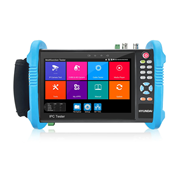
HYU-1075 | 5 in 1 4K/8K CCTV 5 in 1 Tester
HYU-1075
HYU-1075
5 IN 1 4K/8K CCTV 5 IN 1 TESTER
HYUNDAI 5 in 1 CCTV Tester. 7" retina touch screen. Supports TVI/CVI/AHD up to 4K and IP H.265 up to 8K. Built-in WiFi. Audio input/output. PTZ control. UTP test. TDR function. PoE output. Power output 24V, 12V and 5V. Onvif support. HDMI 4K input/output. 2 RJ45 Gigabit. 12V DC
5 IN 1 4K/8K CCTV 5 IN 1 TESTER
HYUNDAI 5 in 1 CCTV Tester. 7" retina touch screen. Supports TVI/CVI/AHD up to 4K and IP H.265 up to 8K. Built-in WiFi. Audio input/output. PTZ control. UTP test. TDR function. PoE output. Power output 24V, 12V and 5V. Onvif support.
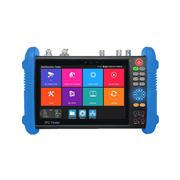
HYU-1076 | 7" All-in-One CCTV Tester
HYU-1076
HYU-1076
7" ALL-IN-ONE CCTV TESTER
HYUNDAI all-in-one CCTV monitor. 7" retina touch screen (1280x800). Supports 8MP TVI/CVI/AHD/AHD/SDI and 8K H.265 IP cameras test. Test Onvif Dahua, Hikvision, Axis, etc. cameras. HDMI 4K input (30 fps). HDMI 4K output (60 fps). VGA 1080P input. Power output 24V/2A, 12V/3A and 48V PoE (up to 30 W). Dual Gigabit Ethernet ports. UTP cable test / RJ4
7" ALL-IN-ONE CCTV TESTER
HYUNDAI all-in-one CCTV monitor. 7" retina touch screen (1280x800). Supports 8MP TVI/CVI/AHD/AHD/SDI and 8K H.265 IP cameras test. Test Onvif Dahua, Hikvision, Axis, etc. cameras. HDMI 4K input (30 fps). HDMI 4K output (60 fps). VGA 1
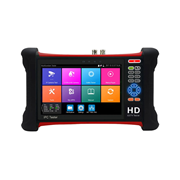
HYU-1077 | HYUNDAI multifunction 5-in-1 CCTV tester
HYU-1077
HYU-1077
HYUNDAI MULTIFUNCTION 5-IN-1 CCTV TESTER
5 in 1 multifunctional CCTV monitor with 7" retina touch screen with CVI/TVI/AHD cameras images test up to 8K. Incorporates dual band WiFi (creates access point). Audio input/output. PTZ control. UTP test. PoE output. 24V power output. Onvif support. HDMI 4K input/output. 12V DC.
HYUNDAI MULTIFUNCTION 5-IN-1 CCTV TEST...
5 in 1 multifunctional CCTV monitor with 7" retina touch screen with CVI/TVI/AHD cameras images test up to 8K. Incorporates dual band WiFi (creates access point). Audio input/output. PTZ control. UTP test. PoE output. 24V power output
Request technical assistance

Your account does not have your company’s customer code (CLXXXXXX) assigned, therefore this option is not available.

Request the assignment now and, once it is activated, you will be able to access the fastest and most efficient way to obtain technical support.

Thank you! Your request has been submitted.
xs
sm
md
lg
xl