Data & Video distributors

NEWS OF DATA & VIDEO DISTRIBUTORS

SAM-4760 | 1 Channel AirSpace PoE Splitter
SAM-4760
SAM-4760
1 CHANNEL AIRSPACE POE SPLITTER
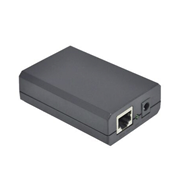
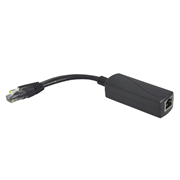
PoE Splitter (802.3af) AirSpace 1 channel. Supports PoE applications in Gigabit Ethernet environments. Allows powering the VESTA BOGP and HSGW Control Panels with POE power supply. It splits the 48V DC power through the RJ45 Ethernet cable into different DC outputs. 36V ~ 57V DC voltage input. Maximum output power up to 12W. Output 12V DC. Thermal
1 CHANNEL AIRSPACE POE SPLITTER
PoE Splitter (802.3af) AirSpace 1 channel. Supports PoE applications in Gigabit Ethernet environments. Allows powering the VESTA BOGP and HSGW Control Panels with POE power supply. It splits the 48V DC power through the RJ45 Ethernet
SAM-4759 | 1-Channel AirSpace PoE/PoE+ Splitter
SAM-4759
SAM-4759
1-CHANNEL AIRSPACE POE/POE+ SPLITTER
1 channel AirSpace PoE/PoE+ (802.3af/at) splitter. Supports PoE applications in Gigabit Ethernet environments. Allows powering the VESTA BOGP and HSGW Control Panels with POE power supply. It splits the 48V DC power through the RJ45 Ethernet cable into different DC outputs. 36V ~ 57V DC voltage input. Maximum output power up to 24W. Output 12V DC/
1-CHANNEL AIRSPACE POE/POE+ SPLITTER
1 channel AirSpace PoE/PoE+ (802.3af/at) splitter. Supports PoE applications in Gigabit Ethernet environments. Allows powering the VESTA BOGP and HSGW Control Panels with POE power supply. It splits the 48V DC power through the RJ45 E
DAHUA-4306 | 10-channel HDMI video distributor
DAHUA-4306
DHI-F-HDMI0110
10-CHANNEL HDMI VIDEO DISTRIBUTOR
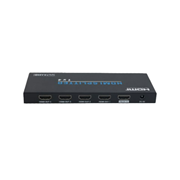
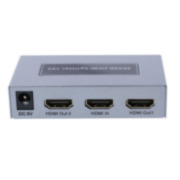
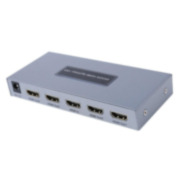
HDMI 10-channel video distributor. Device that allows splitting an HDMI signal into up to 10 outputs. Ideal for displaying on multiple screens from a single HDMI source. Configuration of display directions by remote control
10-CHANNEL HDMI VIDEO DISTRIBUTOR
HDMI 10-channel video distributor. Device that allows splitting an HDMI signal into up to 10 outputs. Ideal for displaying on multiple screens from a single HDMI source. Configuration of display directions by remote control
Request technical assistance

Your account does not have your company’s customer code (CLXXXXXX) assigned, therefore this option is not available.

Request the assignment now and, once it is activated, you will be able to access the fastest and most efficient way to obtain technical support.

Thank you! Your request has been submitted.
xs
sm
md
lg
xl