Keyboard & Joystick

NEWS OF KEYBOARD & JOYSTICK

DAHUA-111N | 3AXIS IP Keypad
DAHUA-111N
DHI-NKB1000-E
3AXIS IP KEYPAD
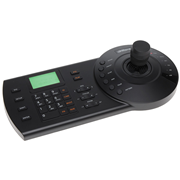
3AXIS Dahua IP keyboard. It allows to control motorized domes, DVR and video servers. RS485, RS422, USB, RS232 and RJ45 communications. On-screen menu with user tips. Up to 64 users. Connection with SmartPSS or DSS via USB
3AXIS IP KEYPAD
3AXIS Dahua IP keyboard. It allows to control motorized domes, DVR and video servers. RS485, RS422, USB, RS232 and RJ45 communications. On-screen menu with user tips. Up to 64 users. Connection with SmartPSS or DSS via USB
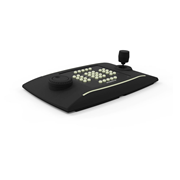
MOBOTIX-123 | MOBOTIX MOVE keyboard with 3-axis joystick and integrated jog/shuttle
MOBOTIX-123
Mx-A-KBD1A-PTZ-JOG
MOBOTIX MOVE KEYBOARD WITH 3-AXIS JOYSTICK AND INTEG...
MOBOTIX MOVE USB keyboard for controlling MOBOTIX and third-party VMS systems. Integrated 3-axis joystick and jog/shuttle. 38 freely assignable backlit buttons. Integrated alarm buzzer. Windows and Linux compatible. USB 2.0 with HID emulation and virtual COM port protocol.
MOBOTIX MOVE KEYBOARD WITH 3-AXIS JOYS...
MOBOTIX MOVE USB keyboard for controlling MOBOTIX and third-party VMS systems. Integrated 3-axis joystick and jog/shuttle. 38 freely assignable backlit buttons. Integrated alarm buzzer. Windows and Linux compatible. USB 2.0 with HID e
DAHUA-1309 | 4 AXIS Joystick (for PTZ functions) with 11" LCD touchscreen
DAHUA-1309
NKB5000-F
4 AXIS JOYSTICK (FOR PTZ FUNCTIONS) WITH 11" LCD TOU...
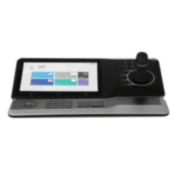
4 AXIS Joystick (for PTZ functions) with 11" LCD touchscreen. Extension keyboard module included. H.265, H.264 and MJPEG. Allows control of: DVR, analog PTZ and IP, centralized managed platform, video network server. 4K display supported. 4 HDMI out. 2 way audio. Alarm: 4 in / 4 out. 2 RS232, 1 RS485, 2 USB2.0 + 2 USB 3.0, 2 RJ45 Gigabit.
4 AXIS JOYSTICK (FOR PTZ FUNCTIONS) WI...
4 AXIS Joystick (for PTZ functions) with 11" LCD touchscreen. Extension keyboard module included. H.265, H.264 and MJPEG. Allows control of: DVR, analog PTZ and IP, centralized managed platform, video network server. 4K display suppor
Request technical assistance

Your account does not have your company’s customer code (CLXXXXXX) assigned, therefore this option is not available.

Request the assignment now and, once it is activated, you will be able to access exclusive features such as requesting technical support via the web, the fastest and most efficient method, as well as managing RMA, DOA and credit note requests and keeping a record of your request history in your company’s online store account.

Thank you! Your request has been submitted.
xs
sm
md
lg
xl